Your NAS, watched from home. Free and open source.
Fulmar checks the backups, disks, volume usage, updates and security of every NAS, and tells you what needs action. The app, coming soon, will alert you on your phone, wherever you are. And your AI can query your NAS, over MCP.
Compatible with Synology NAS.
Coming soon: the engine first, then the app. No date announced.
Synology now charges for Active Insight from the first NAS
Active Insight is Synology’s service that watches NAS from its cloud. Its pricing is changing:
- June 2026
- Synology ends Active Insight’s free tier for new users: $29.99 excl. tax per NAS per year, from the first NAS.
- June 2027
- Existing free Active Insight licenses are removed: its users will have to pay or leave.
Source: Synology. Checked on November 23, 2026.
Nothing like that with Fulmar: the engine watches as many NAS as you like, with no subscription, for free, and will stay free.
Do the math.
Active Insight is paid per NAS, from the first one. Compare it with what Fulmar costs, phone alerts included.
Fulmar versus Active Insight
What each does, from Synology’s technical specifications and what Fulmar already does. What we still lack is written too.
| Active Insight | Fulmar | |
|---|---|---|
| Price | $29.99 excl. tax per NAS per year, from the first NAS | The engine free, with no limit; phone alerts: Personal $29.99 excl. tax per year for 10 NAS, Pro $1 excl. tax per NAS per month |
| Where your data goes | Into Synology’s cloud, in Frankfurt; a Synology account is required | It stays on your NAS; the relay only carries end-to-end encrypted messages |
| The code | Closed | Free software (AGPL-3.0): it keeps running even if we stop |
| Your AI and your tools | Synology’s web portal and app | MCP and a REST API described in OpenAPI, on top of the console and the app |
| Backups | Hyper Backup: task status and details | Hyper Backup: last success, failed tasks, integrity check |
| Security | Unusual sign-ins, file activity and ransomware | Security Advisor, two-factor authentication, admin account, auto block, firewall, SSH and Telnet, expiring certificates; file activity will come later |
| Batch updates | Yes | Soon, in Pro |
Source: Active Insight technical specifications, Synology. Checked on November 24, 2026.
What Fulmar sees
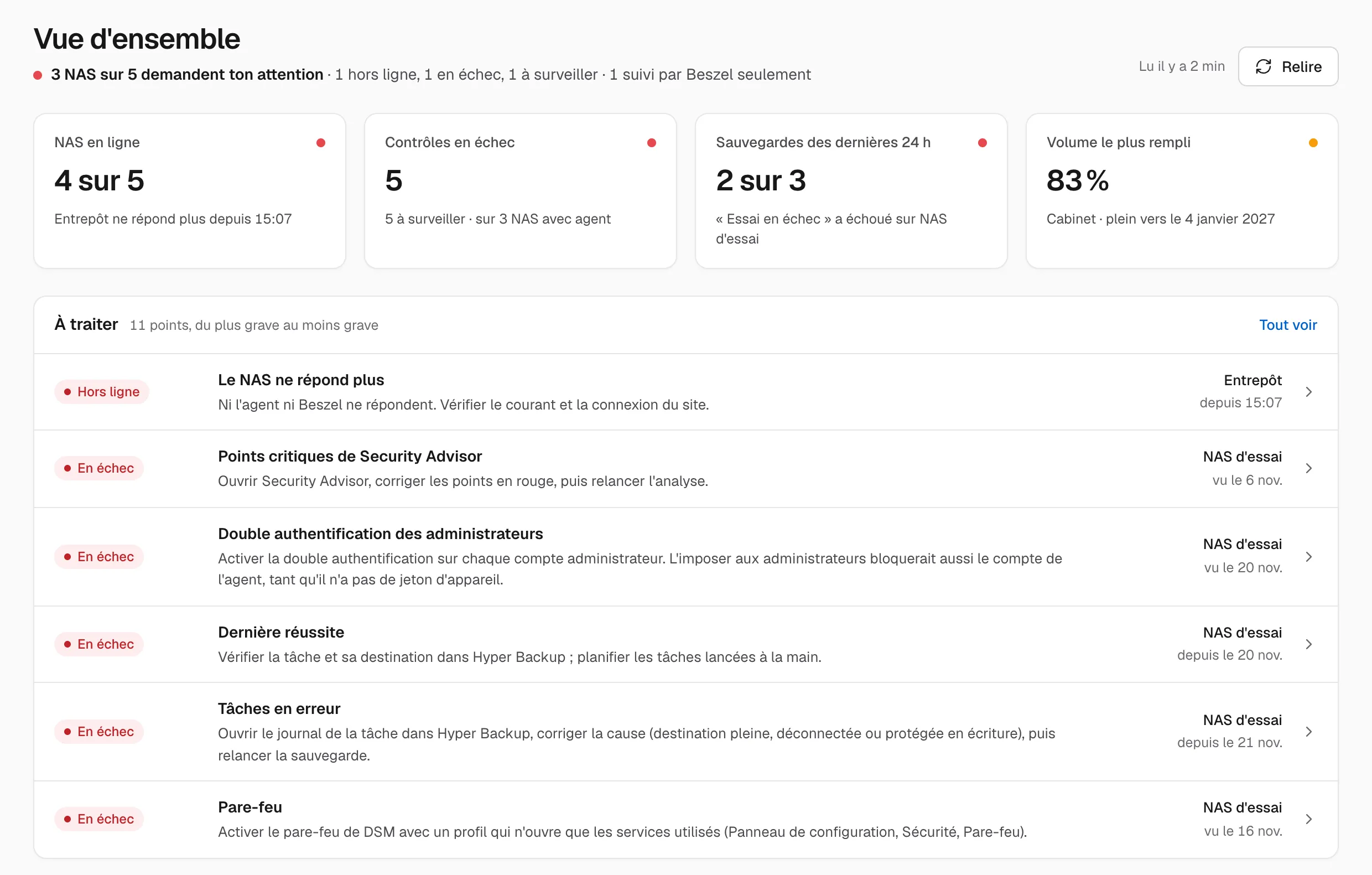
Every verdict comes from a defined check: what is expected, what to do, and what is at fault. Not a chart to interpret.
Three states. Color is used for them alone, and never comes without its word.
OK
Backup “Server to cloud” succeeded last night.
Office
Watch
Volume 1 at 83%, full in six weeks at this rate.
Office
Failing
Task “Night” failed: destination full. Free some space, then run it again.
Workshop
Examples from the demo fleet, fictitious NAS.
- Backups
- Last success, failing tasks, integrity checks.
- Disks
- Health of every disk, temperatures, storage pools.
- Volumes
- Usage, and the day the volume fills up at this rate.
- Updates
- System and packages.
- Security
- Two-factor authentication, open services, firewall, certificates.

Your NAS answer your AI
Fulmar speaks MCP, the protocol AI assistants use to plug into tools. Ask your question as you would ask a colleague: the assistant reads your NAS verdicts, backups and vitals, and answers. Whatever it reads, your programs can read too, through the API.
You
Did all my NAS back up last night?
Your assistant
Three out of four. On Accounts, the task “Office to C2” failed at 2:14 am: the destination is full. Fulmar advises freeing space on the destination, then running the backup again.
Read by the assistant: audit_checks backup_hyperbackup_tasks
GET /v1/audit/checks
Authorization: Bearer ••••••••

{
  "summary": {
    "status": "failed",
    "total": 21, "ok": 18,
    "warning": 2, "failed": 1
  },
  "checks": [{
    "id": "backup.last_result",
    "severity": "high",
    "status": "failed",
    …
  }]
}
MCP, for your assistant
Claude Code, Cursor, VS Code or any MCP client on your computer plugs in with one line of configuration. The assistant reads; it touches nothing. What it reads goes through the AI provider you choose, never through us.
A REST API, described in OpenAPI
Every operation is documented with its response model: your scripts, your monitoring or your ticketing tool read what the console reads.
Tokens that open only what is needed
One right per area (system, storage, backups, security), a separate right for personal data, and every call written to a chained log: a removed line shows.
How it works
-
Your NAS
agent and console
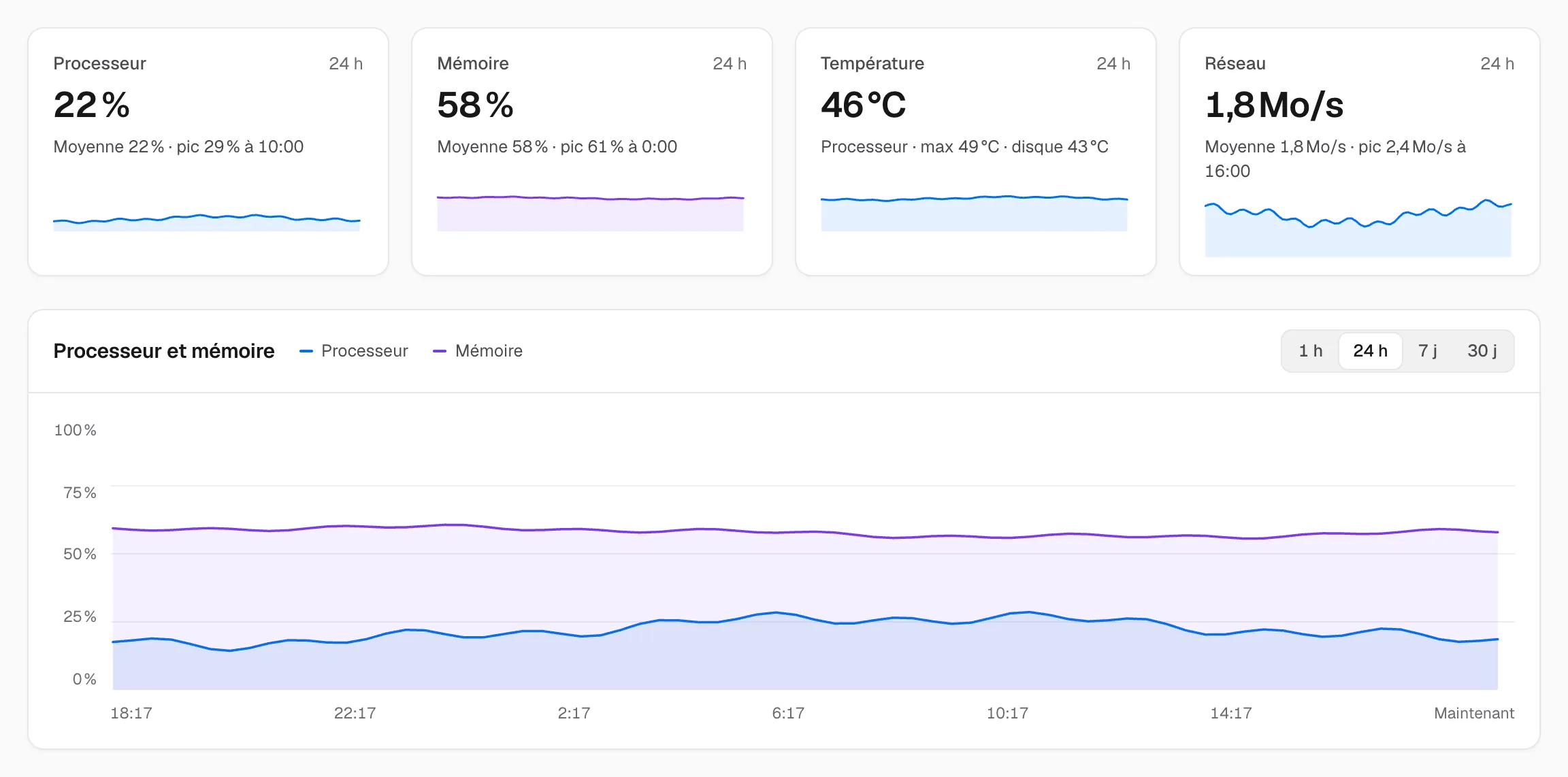
One project to install: the agent and the console, together. The agent reads the NAS with an account you create, only reads, and keeps its history on the NAS. Nothing is open to the Internet: you open the console on your network, or through the remote access you already have (VPN, Tailscale, WireGuard…).
-
The relay
end-to-end encrypted
To alert you anywhere, the NAS drops its verdicts, encrypted for your paired phones only. The relay reads nothing: it only passes messages along, and cannot forge one.
-
Your phone
paired by QR code
The alert arrives with its verdict: what is wrong, and what to do.
App mockup FulmarFailing
Workshop · backup failed
Task “Night” failed: destination full. Free some space, then run it again.
Without the relay: on your network or through your own remote access, free.
Free forever, and what is paid
The engine tells you what your NAS says. The relay warns you even when it can no longer say anything.
| Free $0 for everyone, businesses included | Personal $29.99 excl. tax per year, or $3.99 excl. tax per month personal use, up to 10 NAS | Pro $1 excl. tax per NAS per month, the first one free, billed yearly professional use, on quote beyond 500 NAS | |
|---|---|---|---|
| The engine, at home | |||
| Checks and verdicts for your NAS, with no limit on their number | yes | yes | yes |
| Console, history of the vitals, reports | yes | yes | yes |
| Alerts by email, ntfy or webhook | yes | yes | yes |
| Your AI and your tools, over MCP and the API | yes | yes | yes |
| The app, live on your network or through your remote access | yes | yes | yes |
| The relay, from anywhere | |||
| Alerts on your phone, end-to-end encrypted | 1 NAS | 10 NAS | All |
| Silent NAS: warned when it goes quiet (power cut, failure, theft) | 1 NAS | 10 NAS | All |
| Black box: its last state kept outside your home, readable with the NAS off | no | yes | yes |
| Escalation to a second phone when a serious alert goes unanswered | no | yes | On-call |
| Monthly summary on your phone | no | yes | yes |
| Close an access left open (SSH…) from your phone | no | Soon | Soon |
| The Pro module, for other people’s NAS | |||
| Separate clients, technicians with their own rights | no | no | yes |
| Monthly reports with your logo, sent to your clients | no | no | yes |
| Client access to their own NAS only | no | no | yes |
| Batch updates, one NAS after another | no | no | Soon |
| An invoice, support | no | no | yes |
We only charge for what runs on the publisher’s side, the relay, and for what a professional needs, the Pro module. The engine stays complete and free.
Prices in euros including VAT in Europe, in US dollars excluding tax elsewhere, same numbers; Pro prices exclude tax. The reseller picks the currency from your country.
Founders
The founder offers open at launch. The waitlist gets them 48 hours before everyone else.
Personal founder, for life
The Personal plan, up to 10 NAS through the relay, and everything it gains later, with no subscription. Plus: test builds before everyone, a voice on what comes next, a “Founder” badge.
The first 100 places at €59, the next 200 at €79, then it closes.
Pro founder
The first year at €0.50 excl. tax per NAS per month instead of €1, paid upfront; then €1 excl. tax, locked for as long as the subscription runs without a break, even if the public price goes up.
That is €6 excl. tax per NAS for the first year, the first NAS free, up to 500 NAS. No cap on places.
If the service stops
If the service ever stops, the relay’s code is published: anyone can run it at home, and the app accepts a personal relay. The app then keeps the status and the reports; notifications go through ntfy, because Apple and Google only deliver a push with the key of the app’s publisher.
The roadmap
What is coming, with no promised date. What has shipped, dated. The product does not stop the day you pay.
For the launch
- The iPhone and Android app
- The black box, escalation and the monthly summary
- The Pro module: clients, technicians, reports with your logo, client access
Next
- Close an access left open at a set time (SSH, Telnet, a chosen port)
- Batch updates
- The console through the relay: your clients’ NAS with no VPN
- Unusual sign-ins
- Active Backup, Snapshot Replication, Cloud Sync and USB Copy watched
Later
- File activity and signs of ransomware
- Your ticketing tools, plugged in
Shipped November 2026
- The agent and its 21 checks
- Alerts by email, ntfy and webhook
- The multi-NAS console
- The history of the vitals, kept on the NAS
- The date each volume will be full
- The end-to-end encrypted relay, silent NAS included
- The MCP server and the API
Questions
Is it affiliated with Synology?
No. Fulmar is an independent project, published by Cape Pebble. It is compatible with Synology NAS and is not affiliated with Synology.
Do I need Beszel?
No. Fulmar reads the NAS vitals itself and keeps them on the NAS. If you already run Beszel, the console can read it, for its curves and for machines that are not NAS.
What do you see of my data?
Nothing. The engine runs at your place. The relay carries end-to-end encrypted messages for your paired phones only: it can neither read nor forge them.
What happens if you stop?
The engine is free software: it keeps running at your place. As for the relay, if the service ever stops, the relay’s code is published: anyone can run it at home, and the app accepts a personal relay. The app then keeps the status and the reports; notifications go through ntfy, because Apple and Google only deliver a push with the key of the app’s publisher.
What license?
The engine is published under the AGPL-3.0 license.
Can I try it first?
Yes: the engine is free, and so is the relay for one NAS.
When is it out?
Soon, with no date announced: the engine first, then the app, once Apple and Google accept it. The waitlist hears at every step.
Who is behind it?
Cape Pebble, a company established in 2015 that manages NAS for its clients. Fulmar grew out of that work.
Join the waitlist
Three emails, no more: confirming your address, the engine release, then the launch, 48 hours before the public announcement, with the founder offers. One-click unsubscribe in each.